ElementorPortfolioWordPress

Foliofy Personal Portfolio Website Using Elementor | WordPress 2024

Tools and Links Used

Hostinger Fast, beginner friendly WordPress hosting.
Get Hosting
Elementor The free page builder this tutorial is built with.
Get Elementor
Elementor Pro The Pro upgrade used throughout this tutorial.
Get Elementor Pro
Project Files Download the resources used in this tutorial.
Download Files
Kitpapa Ready made Elementor template kits.
Get Templates

Prompt Used in This Tutorial

Gradient Heading Text
<span class="text-bg font-shadow">Esther Joy</span> is a
Hide horizontal overflow for the entire page CSS
<style>
/* Hide horizontal overflow for the entire page */
html, body {
   overflow-x: hidden;
}
</style>
Text with a gradient background CSS
.text-bg, .tabs .e-n-tab-title[aria-selected=true] {
   background: linear-gradient(to right, #BB6FFB 0%, #FC5F67 52%, #FFB054 100%) !important;
   -webkit-background-clip: text !important;
   -webkit-text-fill-color: transparent !important;
}
Text with a gradient background CSS Class
text-bg
Text with a subtle shadow effect CSS
.font-shadow {
    font-family: "Anek Bangla";
    text-shadow: -2px -2px 0px rgba(59, 167, 235, 0.1); /* Adjust shadow position */
}
Text with a subtle shadow effect CSS Class
font-shadow
Alternative gradient background for hover effects and active states CSS
/* Alternative gradient background for hover effects and active states */
.text-bg-2, .menu-item .active, .menu-item a:hover, .blog a:hover, .footer-menu-item a:hover {
   background-image: -webkit-linear-gradient(45deg, #FF3BCE 0%, #3BA7EB 100%);
   background-clip: text;
   -webkit-background-clip: text;
   text-fill-color: transparent;
   -webkit-text-fill-color: transparent;
}
Alternative gradient background for hover effects and active states CSS Classes
text-bg-2
menu-item
blog
footer-menu-item
Gradient background and other effects for buttons CSS
/* Gradient background for buttons with transition effect on hover */
.btn-Gbg .elementor-button, .form .metform-btn {
   background: linear-gradient(to right, #BB6FFB 0%, #FC5F67 52%, #FFB054 100%);
   transition: background 0.3s;
}
.btn-Gbg .elementor-button-icon {
   margin-bottom: -6px;
}
.btn-Gbg .elementor-button-icon {
   margin-bottom: -6px;
}
/* Rounded button with gradient border */
.btn-black {
   border-radius: 100px;
   background: linear-gradient(to right, #BB6FFB 0%, #FC5F67 52%, #FFB054 100%);
   padding: 2px;
}
.btn-Gbg .elementor-button:hover, .form .metform-btn:hover {
   background: linear-gradient(to right, #BB6FFB 30%, #FC5F67 80%, #FFB054 100%);
}
Gradient background and other effects for buttons CSS Classes
btn-Gbg
btn-black
Marquee animation CSS
/* Marquee animation for scrolling content */
.marquee-content .elementor-widget-container {
   display: flex;
   width: 5000px; /* Large width for continuous scrolling */
   transform: translateX(0);
   animation: marquee 30s linear infinite;
   white-space: nowrap;
   will-change: transform;
}


/* Stroke effect on text within icon lists */
.marquee-content .elementor-icon-list-text {
   -webkit-text-stroke: 1px #02050a;
}


/* Keyframes for marquee animation */
@keyframes marquee {
   100% { transform: translateX(-2000px); } /* Move content left */
}


/* Reverse marquee animation for right-to-left scrolling */
.marquee-right .elementor-widget-container {
   animation: marquee-right 30s linear infinite;
   transform: translateX(0);
}


@keyframes marquee-right {
   100% { transform: translateX(2000px); } /* Move content right */
}
Marquee animation CSS Classes
marquee-content
marquee-right
Social media icon style with gradient background and rounded shape CSS
/* Social media icon style with gradient background and rounded shape */
.social .elementor-grid-item {
   padding: 1px;
   border-radius: 100%;
   background: linear-gradient(to right, #BB6FFB 0%, #FC5F67 52%, #FFB054 100%);
}
Social media icon style with gradient background and rounded shape CSS Class
social
Large Spare Button CSS
/* Large, centered button with responsive size */
.btn-h .elementor-button {
   height: 156px;
   width: 156px;
   display: flex;
   align-items: center;
   justify-content: center;
   text-align: center;
}


.btn-h .elementor-button-content-wrapper {
   display: inline-block;
}


/* Adjust button size on smaller screens */
@media (max-width: 1024px) {
   .btn-h .elementor-button {
       height: 120px;
       width: 120px;
   }
}
Large Spare Button CSS Class
btn-h
Gradient border for selected tabs and focused form inputs CSS
/* Gradient border for selected tabs and focused form inputs */
.tabs .e-n-tabs-heading > .e-n-tab-title[aria-selected="true"],
.form .mf-input:focus {
   border-color: white !important;
   border-image-slice: 1;
   border-image-source: linear-gradient(to left, #BB6FFB 0%, #FC5F67 52%, #FFB054 100%);
}
Gradient border for selected tabs and focused form inputs CSS Classes
tabs
form
Gradient border for price boxes and buttons CSS
/* Gradient border for price boxes and buttons */
.price-box .divider .elementor-divider-separator,
.btn-border-gradient .elementor-button {
   border-color: white !important;
   border-image-slice: 1;
   border-image-source: linear-gradient(to right, #FF3BCE 0%, #3BA7EB 100%) !important;
}


/* Button with a gradient border */
.btn-border-gradient {
   border-radius: 100px;
   background: linear-gradient(to left, #FF3BCE 0%, #3BA7EB 100%);
}
/* Hover effect for price boxes and form inputs */
.price-box:hover, .form .mf-input:focus {
   border-image-slice: 1;
   border-image-source:  linear-gradient(to right, #BB6FFB 0%, #FC5F67 52%, #FFB054 100%) !important;
}
Gradient border for price boxes and buttons CSS Classes
price-box
divider
btn-border-gradient
Text with a gradient effect for buttons and form inputs CSS
/* Text with a gradient effect for buttons and form inputs */
.btn-text-gradient .elementor-button-text,
.form .mf-input:focus {
   background-image: linear-gradient(to right, #BB6FFB 0%, #FC5F67 52%, #FFB054 100%) !important;
   background-clip: text;
   -webkit-background-clip: text;
   text-fill-color: transparent;
   -webkit-text-fill-color: transparent;
}


/* Hover effect: change text to white */
.btn-text-gradient:hover .elementor-button-text {
   background-image: none;
   background-color: transparent;
   -webkit-text-fill-color: white;
}
Text with a gradient effect for buttons and form inputs CSS
btn-text-gradient
form
Blog images with fixed height and centered content CSS
/* Blog images with fixed height and centered content */
.blog img {
   height: 203px !important;
   object-fit: cover;
   object-position: center;
}


/* Blog entry titles with ellipsis overflow and line clamp */
.blog .entry-title {
   color: white;
   overflow: hidden;
   text-overflow: ellipsis;
   display: -webkit-box;
   -webkit-line-clamp: 2; /* Limit to 2 lines */
   -webkit-box-orient: vertical;
}


/* Blog button with gradient text */
.blog .elementskit-btn {
   background-image: linear-gradient(to left, #FF3BCE 0%, #3BA7EB 100%);
   background-clip: text;
   -webkit-background-clip: text;
   text-fill-color: transparent;
   -webkit-text-fill-color: transparent;
}
Blog images with fixed height and centered content CSS Classes
blog
entry-title

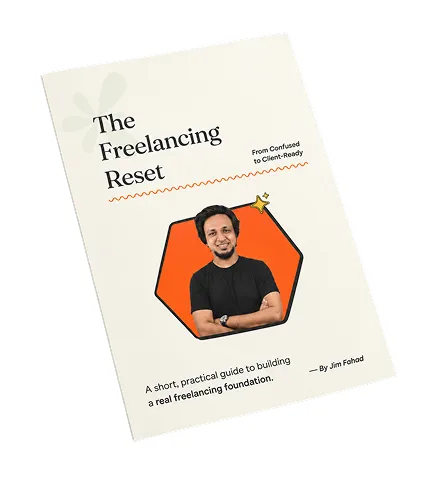
Get Your FREE Freelancing Roadmap

Stop hopping between tutorials. Grab the Freelancing Mastery Handbook to learn how to choose a skill, build your foundation, find clients, and confidently start your freelancing journey.

Free eBook Download

Related Tutorials

From learning the right skills to building a stronger digital presence, we help you turn ideas into practical, professional results.

Vibe Code a REAL Animated WordPress Website with Claude + Elementor

21.8K views

View Tutorial

Vibe Coding Full Course for Beginners – Build & Launch a Real SaaS

3.3K views

View Tutorial

Edit Videos with ChatGPT Codex — Raw Clips to Finished Reel

3.4K views

View Tutorial

Browse All Tutorials