Upcoming

How to Make A Creative Team Members Slider Elementor Free

Tools and Links Used

Hostinger Fast, beginner friendly WordPress hosting.
Get Hosting
Elementor The free page builder this tutorial is built with.
Get Elementor
Elementor Pro The Pro upgrade used throughout this tutorial.
Get Elementor Pro
Kitpapa Ready made Elementor template kits.
Get Templates
Kitninja eCommerce Elementor template kits.
Get Templates
Project Files Download the resources used in this tutorial.
Download Files

Prompt Used in This Tutorial

Header Gradient Color CSS
<style>
.gradient-text {
    pointer-events: none;
    background: linear-gradient(to bottom, rgb(8 42 123 / 35%) 30%, rgb(255 255 255 / 0%) 76%);
    -webkit-background-clip: text;
    background-clip: text;
}
</style>
Header Gradient Color CSS Class
carousel-container
gradient-text
Carousel Style CSS
.carousel-track {
  position: relative;
  width: 100%;
  perspective: 1200px;
}

.gallery-item {
  position: absolute;
  top: 0;
  left: 50%;
  transform-style: preserve-3d;
  transition: transform 0.6s ease, opacity 0.6s ease;
  opacity: 0;
  max-width: 280px !important;
    height: 380px !important;
}

.card .elementor-widget-image img {
    height: 100%;
}

.card .elementor-widget-image {
    height: 100%;
}

.gallery-item img{
    max-height: 450px;
    object-fit: cover;
}

/* center slide */
.gallery-item.center {
  transform: translateX(-50%) translateZ(0) scale(1.1);
  opacity: 1;
  z-index: 3;
}

/* left side */
.gallery-item.left-1 {
  transform: translateX(-365px) translateZ(-267px) scale(1);
  opacity: 0.9;
  filter: grayscale(100%);
  z-index: 2;
}
.gallery-item.left-2 {
  transform: translateX(-534px) translateZ(-362px) scale(0.8);
  opacity: 0.7;
  filter: grayscale(100%);
  z-index: 1;
}

/* right side */
.gallery-item.right-1 {
  transform: translateX(83px) translateZ(-267px) scale(1);
  opacity: 0.9;
  filter: grayscale(100%);
  z-index: 2;
}
.gallery-item.right-2 {
  transform: translateX(265px) translateZ(-362px) scale(0.8);
  opacity: 0.7;
  filter: grayscale(100%);
  z-index: 1;
}

.gallery-icon.landscape {
    height: 100% !important;
}

.gallery-icon.landscape img {
    height: 100% !important;
}
/* hide unused */
.gallery-item.hidden {
  opacity: 0;
  pointer-events: none;
  filter: grayscale(100%);
}


@media (max-width:767.98px){

.carousel-track {
    perspective: 50vw;
}
.gallery-item.center {
    transform: translateX(-50%) translateZ(0) scale(.8);
}

.gallery-item.hidden {
  transform: scale(0);
}
.has-border::before, .has-border::after {
    display: none;
}

}

@media (min-width: 768px) and (max-width: 1024.98px){
    .carousel-track {
    perspective: 809px;
}
}
Text Shape Style CSS Classes
carousel-track
gallery-item
card
Carousel DOT And NAV Style
/* dots */
.carousel-dots {
  display: flex;
  justify-content: center;
  margin-top: 20px;
}

.carousel-dots .dot {
  width: 12px;
  height: 12px;
  background-color: rgba(8, 42, 123, 0.2);
  border-radius: 50%;
  margin: 0 6px;
  transition: background-color 0.4s ease, transform 0.4s ease;
  cursor: pointer;
}

.carousel-dots .dot.active {
  background-color: rgb(8, 42, 123);
  transform: scale(1.2);
}

/* arrows */
.nav-arrow {
  position: absolute;
  top: 50%;
  transform: translateY(-50%);
  z-index: 20;
  cursor: pointer;
}

.nav-arrow.left {
  left: 20px;
}

.nav-arrow.right {
  right: 20px;
}
Carousel DOT And NAV Style Classes
nav-arrow
left
right
Member details (name+role) styling, displayed for center only
.card .memebers-details {
  opacity: 0;
  transition: opacity 0.4s ease;
  position: absolute;
  bottom: 20px;
  width: 100%;
  text-align: center;
  pointer-events: none;
}

.carousel-member-info {
    display: flex;
    flex-direction: column;
    justify-content: center;
    align-items: center;
}

.has-border::before, .has-border::after {
    position: relative;
    content: "";
    position: absolute;
    top: 100%;
    width: 100px;
    height: 2px;
    background: rgb(8, 42, 123);
}

.has-border {
    position: relative;
}

.has-border::before {
    left: -120px;
}

.has-border::after {
    right: -120px;
}
Member details (name+role) styling, displayed for center only CSS
memebers-details
carousel-member-info
member-name
has-border
member-role
Carousel JS Code
<script>
document.addEventListener('DOMContentLoaded', function () {
  const track = document.querySelector('.carousel-track');
  const cards = Array.from(track.querySelectorAll('.card'));
  const prevArrow = document.querySelector('.nav-arrow.left');
  const nextArrow = document.querySelector('.nav-arrow.right');
  const infoContainer = document.querySelector('.carousel-member-info'); // <- existing Elementor div

  // Create carousel dots
  const dotsContainer = document.createElement('div');
  dotsContainer.className = 'carousel-dots';
  track.parentNode.appendChild(dotsContainer);

  const dots = cards.map((card, idx) => {
    const d = document.createElement('div');
    d.className = 'dot';
    if (idx === 0) d.classList.add('active');
    d.dataset.index = idx;
    dotsContainer.appendChild(d);
    d.addEventListener('click', () => {
      updateCarousel(idx);
    });
    return d;
  });

  let currentIndex = 0;
  const stateClasses = ['center','left-1','left-2','right-1','right-2','hidden'];
  let isAnimating = false;

  function updateCarousel(newIndex) {
    if (isAnimating) return;
    isAnimating = true;

    currentIndex = ((newIndex % cards.length) + cards.length) % cards.length;

    cards.forEach((item, i) => {
      const offset = (i - currentIndex + cards.length) % cards.length;
      stateClasses.forEach(c => item.classList.remove(c));

      if (offset === 0) {
        item.classList.add('center');
      } else if (offset === 1) {
        item.classList.add('right-1');
      } else if (offset === 2) {
        item.classList.add('right-2');
      } else if (offset === cards.length - 1) {
        item.classList.add('left-1');
      } else if (offset === cards.length - 2) {
        item.classList.add('left-2');
      } else {
        item.classList.add('hidden');
      }
    });

    // Update dots
    dots.forEach((d, i) => d.classList.toggle('active', i === currentIndex));

    // Update carousel-member-info by cloning styled elements
    const currentCard = cards[currentIndex];
    const nameEl = currentCard.querySelector('.member-name');
    const roleEl = currentCard.querySelector('.member-role');

    if (infoContainer) {
      infoContainer.style.opacity = '0'; // fade out

      setTimeout(() => {
        infoContainer.innerHTML = ''; // Clear old content

        const clonedName = nameEl ? nameEl.cloneNode(true) : null;
        const clonedRole = roleEl ? roleEl.cloneNode(true) : null;

        if (clonedName) infoContainer.appendChild(clonedName);
        if (clonedRole) infoContainer.appendChild(clonedRole);

        infoContainer.style.opacity = '1'; // fade in
      }, 300);
    }

    const onEnd = () => {
      isAnimating = false;
      cards.forEach(s => s.removeEventListener('transitionend', onEnd));
    };
    cards.forEach(s => s.addEventListener('transitionend', onEnd));
    setTimeout(() => { isAnimating = false; }, 700); // fallback
  }

  prevArrow.addEventListener('click', () => {
    updateCarousel(currentIndex - 1);
  });

  nextArrow.addEventListener('click', () => {
    updateCarousel(currentIndex + 1);
  });

  // Touch support
  let touchStartX = 0;
  track.parentNode.addEventListener('touchstart', (ev) => {
    touchStartX = ev.touches[0].clientX;
  }, { passive: true });

  track.parentNode.addEventListener('touchend', (ev) => {
    const endX = ev.changedTouches[0].clientX;
    const diff = touchStartX - endX;
    if (Math.abs(diff) > 40) {
      if (diff > 0) updateCarousel(currentIndex + 1);
      else updateCarousel(currentIndex - 1);
    }
  }, { passive: true });

  // Init
  updateCarousel(currentIndex);
});
</script>

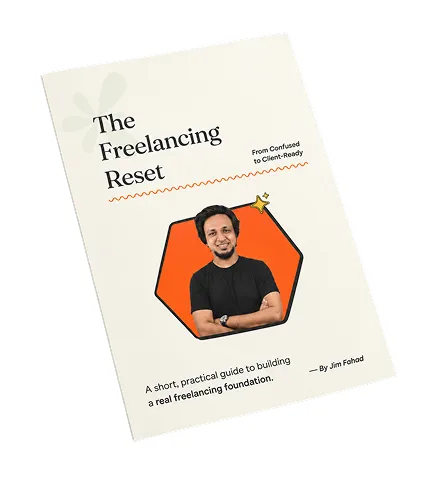
Get Your FREE Freelancing Roadmap

Stop hopping between tutorials. Grab the Freelancing Mastery Handbook to learn how to choose a skill, build your foundation, find clients, and confidently start your freelancing journey.

Free eBook Download

Related Tutorials

From learning the right skills to building a stronger digital presence, we help you turn ideas into practical, professional results.

Vibe Code a REAL Animated WordPress Website with Claude + Elementor

21.8K views

View Tutorial

Vibe Coding Full Course for Beginners – Build & Launch a Real SaaS

3.3K views

View Tutorial

Edit Videos with ChatGPT Codex — Raw Clips to Finished Reel

3.4K views

View Tutorial

Browse All Tutorials